ISO 27001 evidence collection templates are structured documents, spreadsheets, or trackers that let you gather, organize, and present proof that your ISMS controls are actually working, not just documented. Auditors expect specific artifacts — policies, records, logs, training certificates, and risk assessments — mapped to Annex A 5.28's evidence requirements, and enterprise buyers now ask for the same proof before they'll sign. A template-driven approach turns evidence collection from a last-minute scramble into a repeatable weekly habit.
This guide is for CISOs, compliance leads, and founders at midmarket and startup companies selling into enterprise accounts, where a missing artifact isn't just an audit finding, it's a stalled deal. It draws on Konfirmity's experience across 6,000+ security audits and 25+ years of combined expertise. Running SOC 2 as well? See the SOC 2 version of this template.
Key Takeaways: ISO 27001 Evidence Collection Templates
ISO 27001 evidence collection templates are structured documents, spreadsheets, or trackers that let you gather, organize, and present proof that your ISMS controls are actually working, not just documented. Auditors expect specific artifacts: policies, records, logs, training certificates, and risk assessments, mapped to Annex A 5.28's evidence requirements. A template-driven approach turns evidence collection from a last-minute scramble into a repeatable weekly habit.
Why Evidence Collection Matters for Enterprise Sellers
ISO 27001 certification is a recognized trust signal in B2B sales, and enterprise customers increasingly require certified suppliers and request proof during procurement or vendor assessment. The average cost of a data breach reached $4.99 million globally in 2026, a 12% increase over the prior year and a record high, according to IBM's 2026 Cost of a Data Breach Report. Buyers know that weak security can lead to downtime, fines, and reputational damage. They therefore ask vendors to demonstrate controls, not just share a policy.
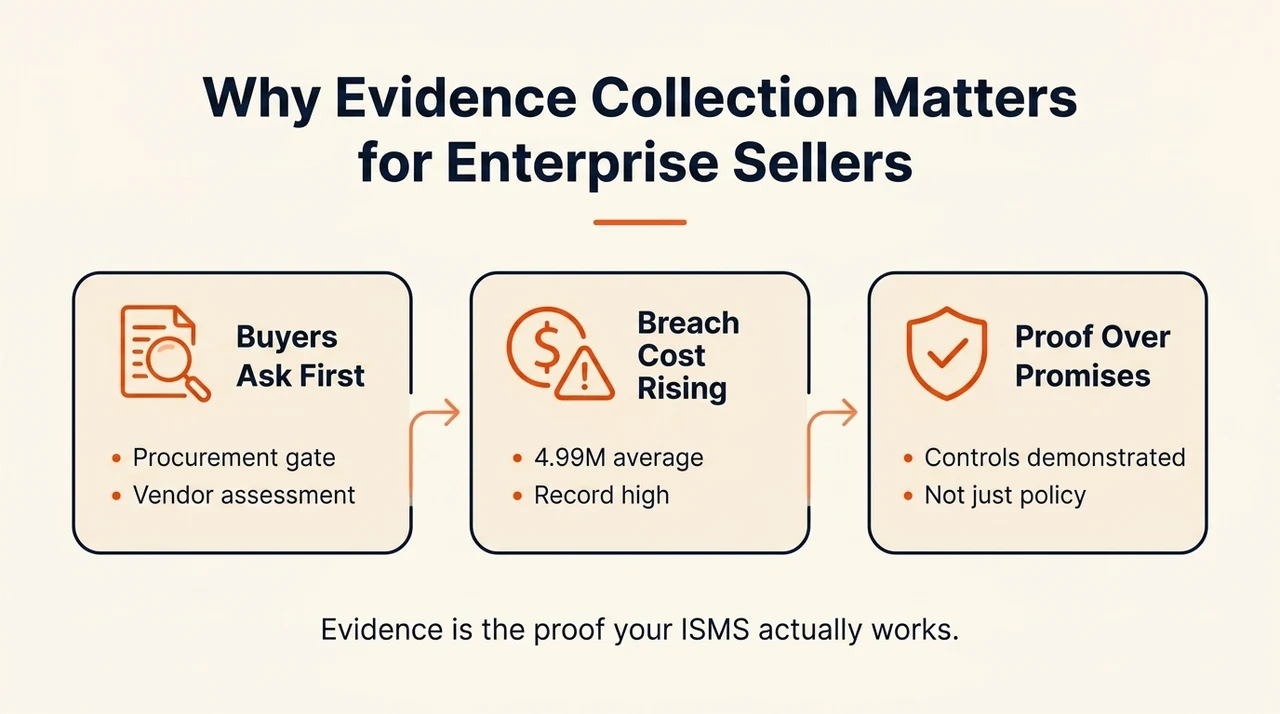
In the context of ISO 27001, evidence collection means systematically gathering logs, records, policies, and audit results to prove controls are designed, implemented, and effective. Clause 5.2 requires top management to establish, approve, and communicate an information security policy aligned with the organization's strategic direction and risk posture. Clause 4.2 requires identifying interested parties (customers, regulators, suppliers) and their security requirements. Annex A 5.28 requires clear procedures for identifying, collecting, acquiring, and preserving evidence related to information security events. Evidence isn't optional — enterprise clients will ask to see that access controls, risk assessments, and incident management logs are real and current.
What Are ISO 27001 Evidence Collection Templates?
ISO 27001 evidence collection templates are structured worksheets or forms that help teams capture and organize the proof required by ISO 27001 clauses and controls. Instead of scrambling to gather documents during an audit or client questionnaire, a template-driven approach standardizes how evidence is documented, stored, and linked to controls. Evidence templates typically include fields for dates, owners, version history, links to underlying documents, and status — centralizing this lets organizations respond quickly to auditors, reduce internal confusion, and onboard new systems or vendors with clarity.
These templates provide structure, but they aren't a substitute for organization-specific detail: Clause 5.2 specifically warns that generic, copy-pasted policies undermine trust, and the board has to own and tailor policies, not just rubber-stamp a template. For the full breakdown of every evidence category ISO 27001 auditors expect, see our ISO 27001 evidence requirements guide.
Why a Template-Driven Approach Makes Sense for Enterprise B2B Teams
Enterprise-selling companies run complex environments — sales, engineering, operations, and security all juggling multiple stakeholders, a large technology stack, and dozens of control areas. When a big customer requests an audit or a detailed security questionnaire, teams without templates scramble to pull logs, policies, and screenshots, producing inconsistent evidence, gaps, and wasted hours.
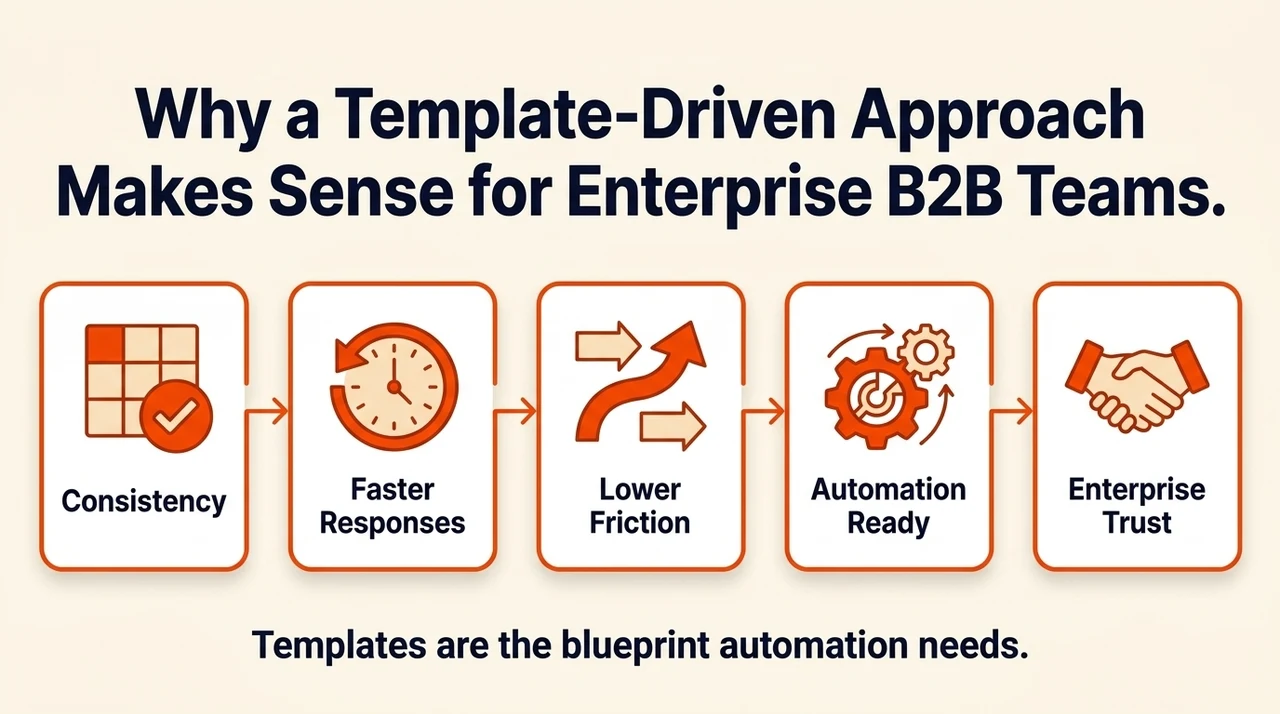
A template-driven approach delivers concrete benefits:
- Consistency across controls. Each control area — risk assessment, access review, incident response — gets a defined set of evidence fields, which prevents omissions and makes audits smoother.
- Faster responses. When procurement asks for proof, templates allow quick compilation instead of starting from scratch.
- Lower onboarding friction. New systems or vendors prompt stakeholders to capture the right evidence from day one, rather than after the fact.
- A foundation for automation. Automation can pull logs and populate fields, but it needs a standard template to map to — without one, automation becomes brittle.
- Enterprise trust. Being able to show current, well-organized evidence builds credibility with buyers whose own security teams are evaluating you against the risk of a $4.99 million breach.
Konfirmity's experience across 6,000+ security audits shows that enterprise sellers who implement templates and continuous evidence collection reduce audit preparation time by roughly 75%, often reaching SOC 2 readiness in 4–5 months compared with 9–12 months for self-managed programs. In our managed service, clients spend about 75 hours a year on evidence tasks, versus 550–600 hours for a fully self-managed program.
Key Evidence Types
Evidence spans many records and artifacts. The table below covers the core categories, what each maps to in ISO 27001, and what to actually capture.
| Evidence Type | Maps To | What to Capture |
|---|---|---|
| Policies and documentation | Clause 5.2 | Policy name, owner, version, approval date, next review date, link to the document |
| Audit records | Clause 9.2, Clause 10 | Control ID, audit date, auditor, evidence observed, findings, remediation owner and due date |
| Risk assessments | Clause 6.1 | Asset, threat, vulnerability, control in place, residual risk score, treatment plan |
| Security control records | Annex A controls | Control ID, design/operating status, implementation date, owner, last review outcome |
| Internal audit checklists | Clause 9.2 | Evidence link per control, compliance status, identified non-conformities |
| Non-conformance reports | Clause 10 | Date detected, severity, recurrence flag, corrective action status, verification evidence |
| Asset inventory | Clause 4.3, Clause 7.5 | Asset ID, owner, classification, risk rating, lifecycle stage, customer-facing flag |
| Access control logs | Annex A access controls | User, timestamp, action, resource, outcome, retention period, review date |
| Training records | Clause 7.2, Clause 7.3 | Employee, date, topic, result, certificate, next due date |
| Incident reports | Annex A 5.28 | Incident ID, timeline, impact, root cause, chain of custody, closure date, lessons learned |
Good evidence collection proves your security posture, not just your process.
Share your work email and we'll help you tailor evidence templates to your ISO 27001 scope.
Step-by-Step Guide to Using Evidence Collection Templates
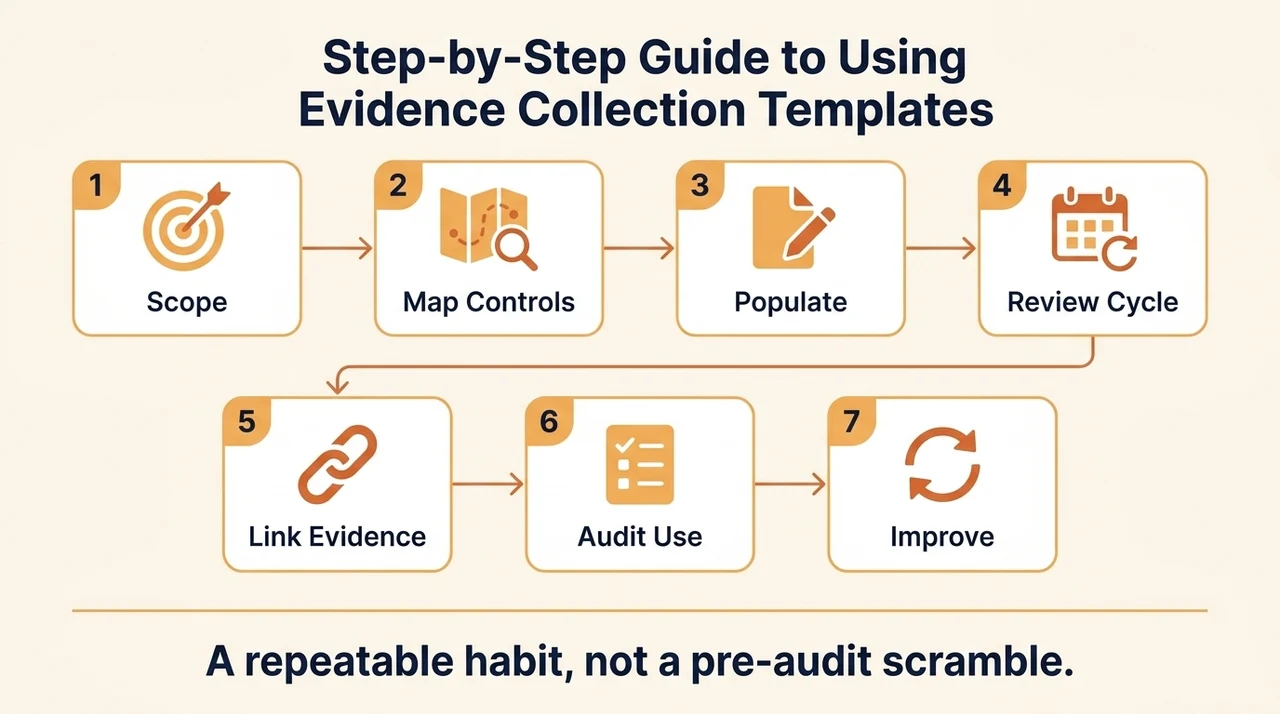
- Define scope and responsibilities. Set the ISMS scope (Clause 4.3) — systems, locations, processes in and out of scope — then assign ownership per template: who maintains the asset inventory, who runs training records, who owns internal audits.
- Map templates to ISO 27001 requirements. Build a master matrix linking every clause (4–10) and Annex A control to its supporting template and responsible owner, including enterprise client requirements like vendor due-diligence requests.
- Populate initial templates. Pull existing documents and run short workshops to fill them in, starting with critical assets and high-risk controls. Keep templates lean — "owner," "version," and "evidence link" get used; twenty rarely-filled columns don't.
- Establish update and review cycles. Set frequency by control criticality: monthly for the asset inventory, daily or weekly for access logs, quarterly for internal audits. Retain version history per Annex A 5.28's integrity and preservation requirement.
- Link templates to actual evidence storage. Reference where documents really live — a repository, a ticketing system, a compliance portal — and apply chain-of-custody controls to sensitive evidence per NIST's evidence management guidance.
- Use templates for internal audit and certification. Run internal audit checklists against each template before an external audit, track gaps with non-conformance reports, and be ready to show the template, the populated data, and the linked evidence together.
- Continuously improve the templates. After every audit or incident review, capture lessons learned and update fields — a new asset type or a client's 12-month log retention requirement should change the template, not get handled as an exception.
Example Templates and Tailoring for Enterprise-Selling Companies
The base templates below adapt easily once you add the enterprise-specific columns most B2B security reviews actually ask about.
| Template | Standard Fields | Enterprise Tailoring |
|---|---|---|
| Asset Inventory Sheet | Asset ID, owner, classification, risk rating | Add "customer-facing system," "contract reference," "SLA impact" |
| Access Control Log | User, timestamp, system, action, outcome | Add "client identifier," "retention requirement" (e.g., 12 months) |
| Training and Awareness Register | Employee, session, result | Add "client-requested training completed," "refresher date" |
| Non-Conformance Report | Issue, root cause, corrective action | Add "client impact" flag, link to the relevant client agreement clause |
| Risk Register | Risk ID, likelihood, impact, treatment | Add a flag for risks affecting client-facing services |
| Policy Register | Document name, owner, version, review date | Add "client reference" (vendor security requirement number), "distribution status" |
Templates work as spreadsheets (Excel, Google Sheets) for flexibility, or inside a dedicated compliance platform for version control, access management, and integration with ticketing or monitoring systems. Either way, use dropdowns for repetitive fields, embed links to the actual documents, assign a named owner per row, and add a filter for "client impact" so high-value evidence surfaces first.
Common Pitfalls and How to Avoid Them
The common pitfalls in evidence collection, and how to avoid them, recur across nearly every audit Konfirmity supports:
- Template overload. Too many templates, or overly complex ones, kill adoption. Start with the most critical — asset inventory, training register, audit checklist — and expand gradually.
- Unclear ownership. Templates without a named owner go stale. Assign responsibility explicitly and hold owners accountable.
- Evidence not linked. A training record with no attached certificate doesn't prove competence. Use a consistent file-naming convention and a central repository.
- Insufficient chain of custody. Evidence has to be preserved and protected — NIST guidance requires handlers to ensure evidence isn't compromised and the chain of custody is tracked. Build chain-of-custody fields into incident report templates specifically.
- Ignoring legacy or vendor systems. Evidence across legacy systems or third-party vendors is often the hardest to collect. Identify every in-scope system during step 1 and engage vendors early for their logs and reports.
- Misaligned with enterprise expectations. A client may require 12 months of access logs when your template only captures 3. Review client security addenda regularly and update retention fields accordingly.
- No review cycle. Templates and the data in them go stale without a scheduled review — enforce it with a calendar or task system, not memory.
Manual Tracking vs. Compliance Platforms: Choosing Your Evidence Collection Approach
Most teams start evidence collection in a spreadsheet, and for a first ISO 27001 certification or a small control set, that's often the right call — it's free, flexible, and everyone already knows how to use it. The tradeoff shows up at scale. As your control count grows past a few dozen, and you add renewal cycles, surveillance audits, and multiple owners, a spreadsheet has no way to flag evidence that's gone stale, remind an owner their artifact is due for refresh, or show an auditor a live, single source of truth.
That's the gap dedicated compliance platforms are built to close: continuous evidence capture instead of a point-in-time export, automated staleness alerts, and a centralized audit trail mapped to each Annex A control. Konfirmity approaches this by treating evidence collection as an ongoing operational habit rather than a pre-audit scramble, which is one of several valid ways to solve this problem. Whichever approach you choose, the goal is the same: evidence that's current, mapped to a specific control, and ready to hand an auditor without a week of scrambling before your next audit.
Free checklist
The ISO 27001 Evidence Collection Checklist & Template
A ready-to-use evidence tracker covering all nine core categories, with worked example rows showing exactly what auditors expect in each field. Enter your work email and we'll send the PDF.
Checklist: What Your Team Needs to Do This Week
- Appoint a template lead for the enterprise client business line, to own all evidence collection templates and records.
- Select and customize 3–5 templates — asset inventory, training register, internal audit checklist, risk register, incident report — to fit your business and client needs.
- Map each template to ISO 27001 controls and record who's responsible for each evidence type.
- Populate initial data for high-risk systems and client-facing assets, using existing records and short stakeholder workshops.
- Set update schedules and version control, with a central repository that has access controls and audit logging.
- Review existing evidence for gaps and prioritize collecting the logs or policies clients and auditors ask for most often.
See how audit-ready your evidence actually is
Book a demo and we'll map your current evidence collection process against what ISO 27001 auditors and enterprise buyers actually check.
Book a demo
Frequently Asked Questions
Evidence is anything that proves your ISMS controls are actually operating, not just documented: system logs, completed risk assessments, training records, incident reports, and signed policies. Annex A 5.28 requires a defined process for identifying, collecting, and preserving this evidence. For the full breakdown of every evidence category and what auditors expect from each, see our ISO 27001 evidence requirements guide.
A solid evidence collection checklist tracks, for each control, which artifact proves it (a policy, log, or record), who owns collecting it, how often it needs to be refreshed, and where it's stored. At minimum it should cover the nine core evidence categories: policies and documentation, records and audit trails, security controls evidence, risk assessments, training records, incident reports, monitoring logs, access control records, and general compliance documentation.
An evidence list is simply an inventory — the names of every artifact you need to produce. An evidence spreadsheet goes further: it's a structured workbook that also tracks the control or clause each artifact maps to, its current status, who owns it, and when it was last updated, so it doubles as a live tracker your team and your auditor can both use.
A spreadsheet works for a first certification cycle or a small team, and is a reasonable place to start. As the number of controls, owners, and renewal cycles grows, most teams move to a dedicated compliance platform that automates evidence capture and flags what's stale, since manually maintaining a spreadsheet across dozens of controls becomes its own ongoing workload. Which approach fits depends on your team size and how often you're renewing certification.
Conclusion
Evidence is the lifeblood of ISO 27001 certification and enterprise sales. With the average breach cost now at $4.99 million globally, enterprise buyers are rightly cautious, and being audit-ready with well-populated templates shows you're serious about security. For companies selling to enterprise clients, this isn't a luxury; it's a business enabler that shortens sales cycles, satisfies contractual requirements, and builds trust.
Start with a few high-value templates, populate them with real data, and assign ownership. Map each template to ISO 27001 clauses and Annex A controls, update records on a schedule, link evidence to templates, and track the chain of custody. Use automation wisely, but remember templates are the foundation — get that right and audits stop being a scramble and start being a formality.